
Know someone you think would be perfect for GoStudent?
👀 Refer a friend and receive a bonus - Check out the referrals page in the WebApp! 🔥
On the referrals page in the WebApp you can check referral bonus amounts, track your referral rewards and most importantly: receive a referral bonus in just a few easy steps!
You have two options to refer:
- Simply show your unique QR code to anyone who wants to become a tutor or student at GoStudent,
- Share your referral link via Facebook, Whatsapp, LinkedIn or Email with one click, or simply copy it from the page to send!
Receive a referral reward 🤑 for every referred tutor who signs up and completes their first regular lesson and for every student who purchases a tutoring package. 💰
Super easy, right? 📢
Important! To properly track your referral and receive the bonus automatically, your referred tutor will need to follow the below steps (make sure to share the instructions with them!)
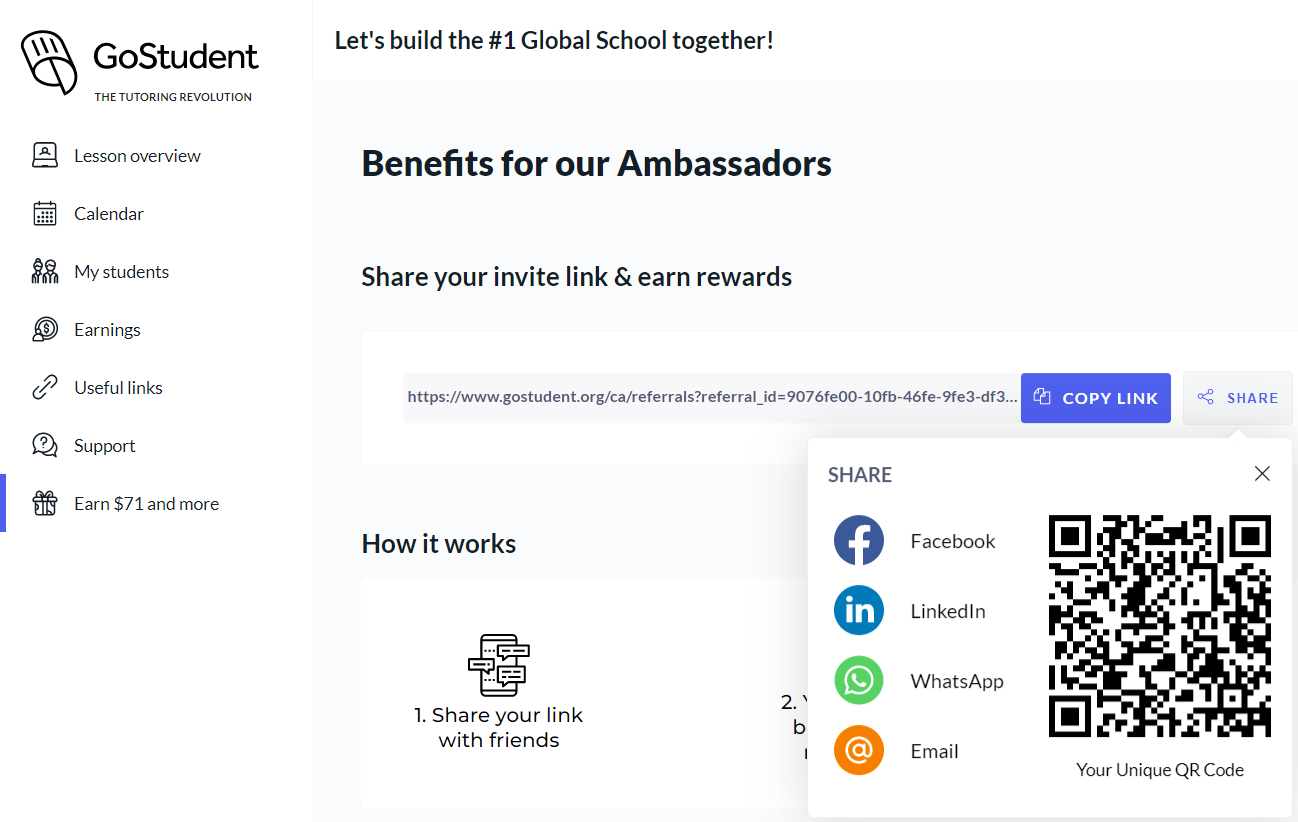
Referees have to follow the link / QR code shared by the referrer to make the referral valid.
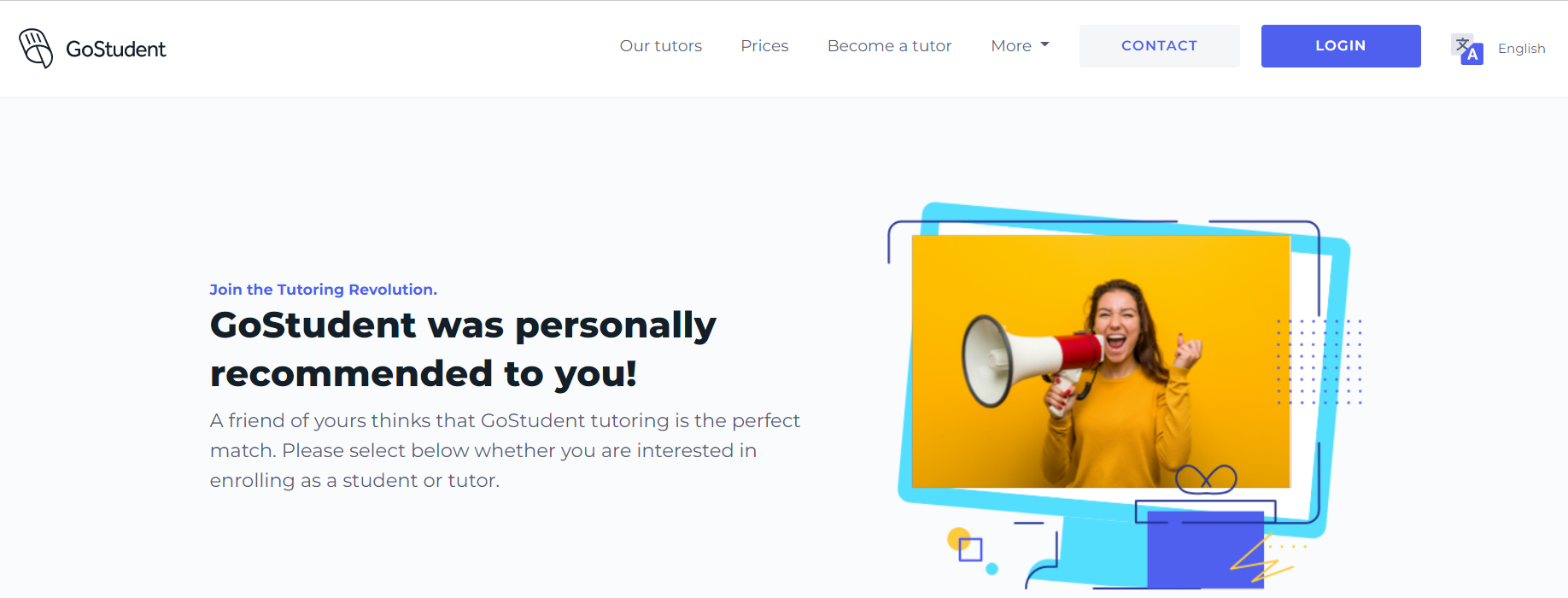
The referral link / QR code directs referees to the referral landing page where they:
- Need to scroll down to register (don't click "Become a tutor" on the top or it won't be tracked)
- Register as:
- a tutor (click on ‘Apply as a tutor’) or
- student (click on and sign up for a trial lesson)

You will receive the referral bonus after the referred tutor has completed their first regular lesson or the referred customer has signed up and paid for a tutoring package. Your reward will be paid out separately from your regular earnings at the end of the payment cycle.
Help us unlock the full potential of every student by growing our fantastic GoStudent community together! 🚀
